
Traditional SEO
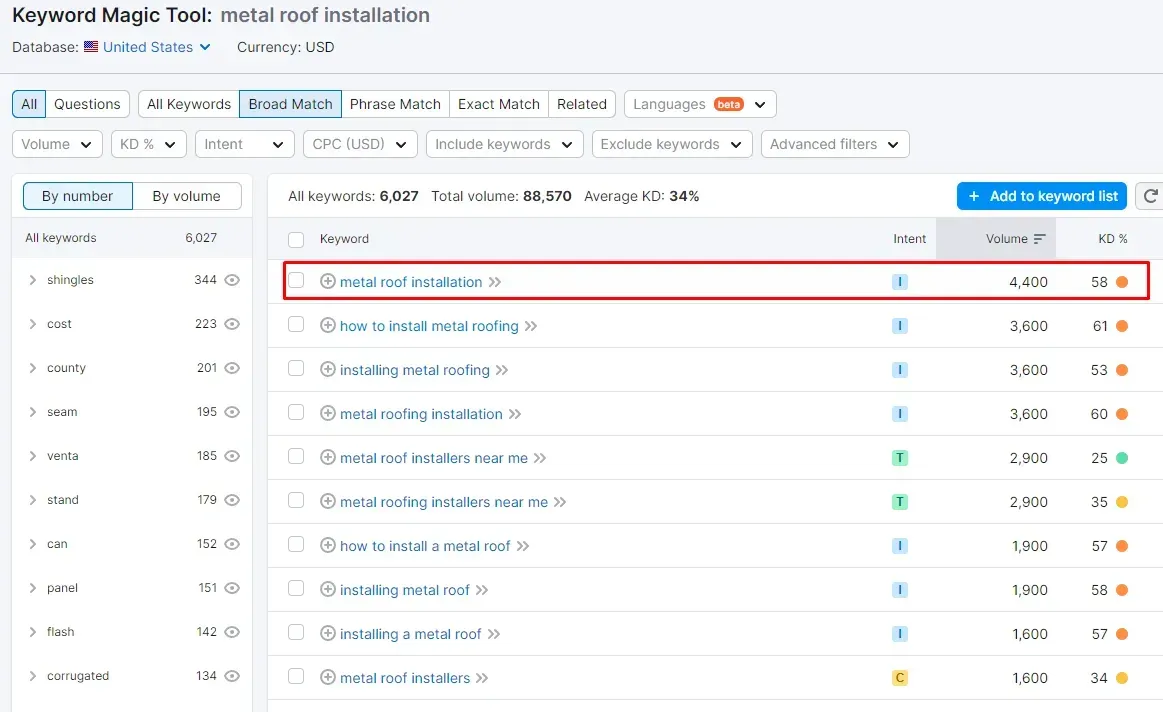
Keyword Research
Keyword research is the process of identifying the words and phrases people use to search for information online. It’s like eavesdropping on what people type into search engines to understand what they’re looking for. This helps you tailor your website’s content to those keywords, making it more likely to show up in search results when people use those terms.
Layout & Planning of Content
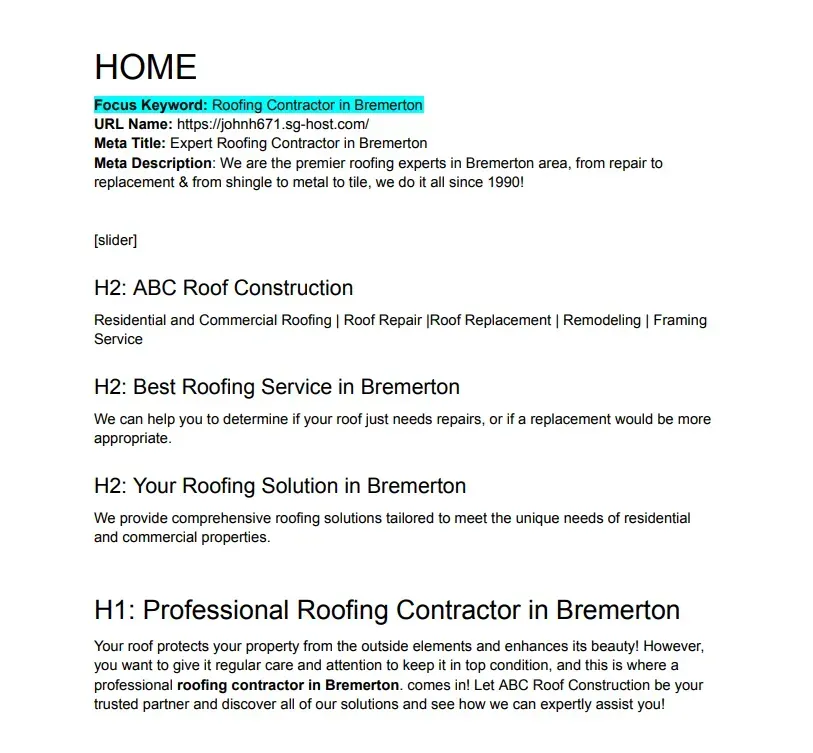
A well-planned layout with clear headings and linking helps search engines grasp your content (SEO boost). It also keeps users engaged (happy users, happy search engines), potentially improving your ranking.
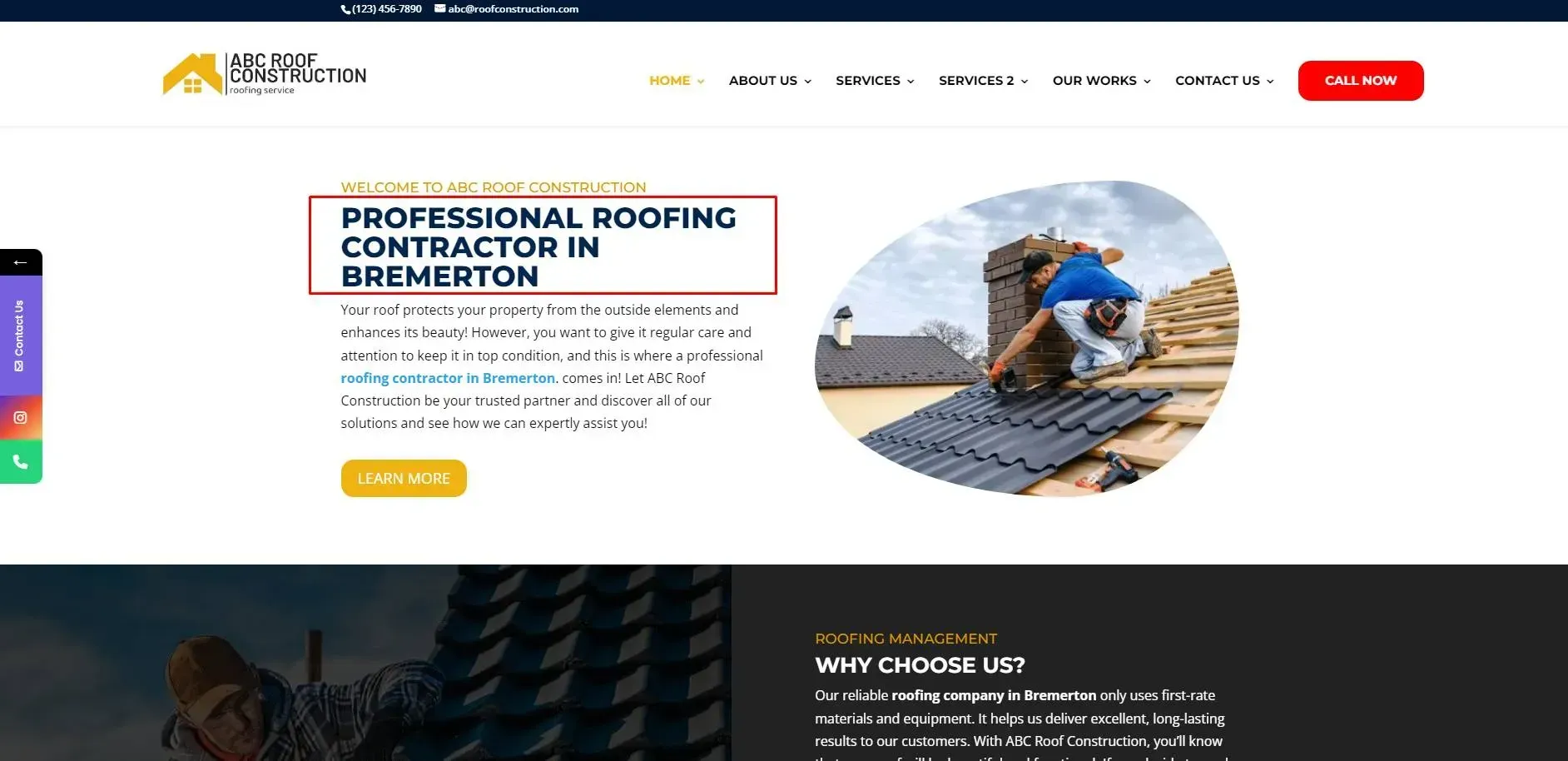
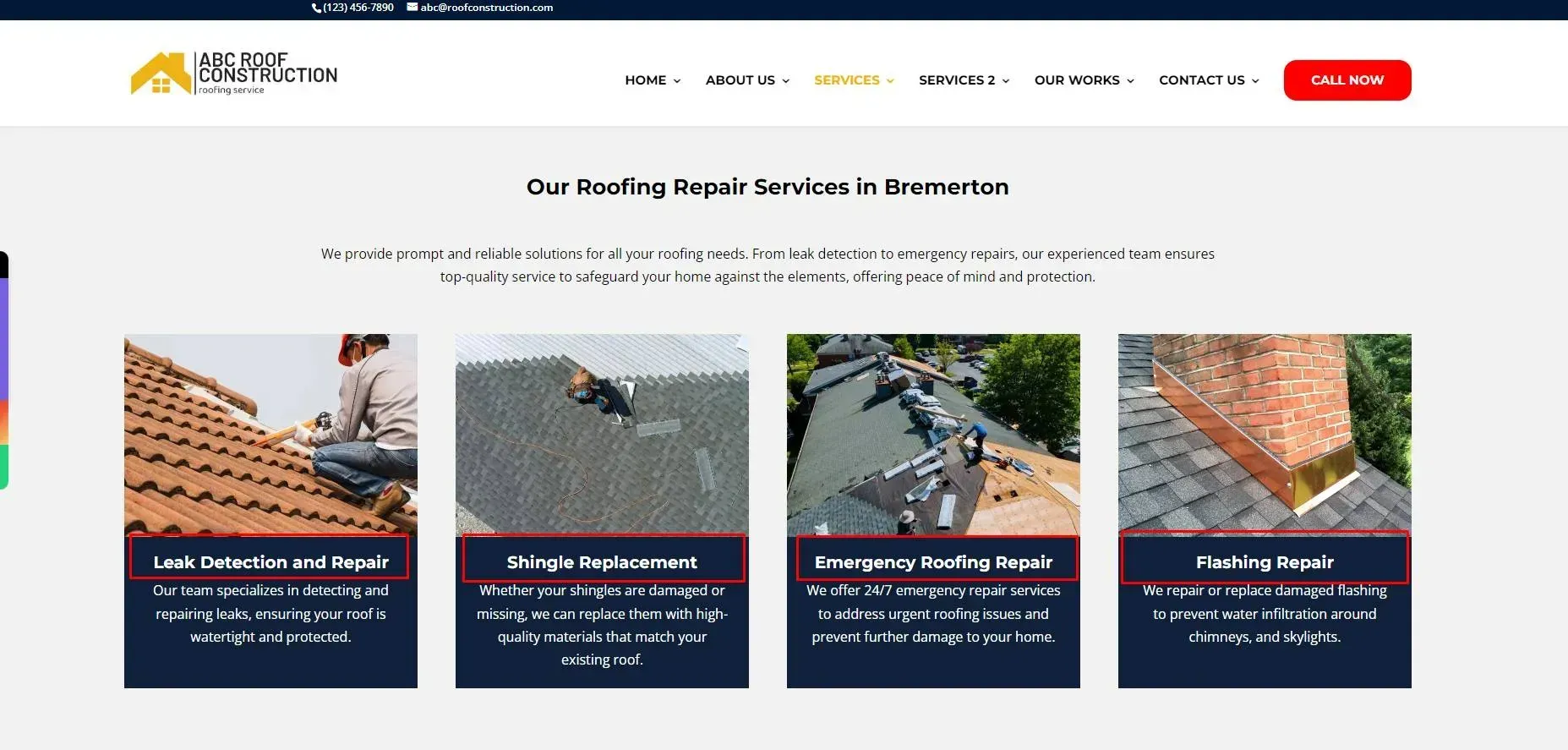
H1 Tag
An H1 tag is like a flashing sign for both search engines and users, usually containing your keywords.
H2 Tags
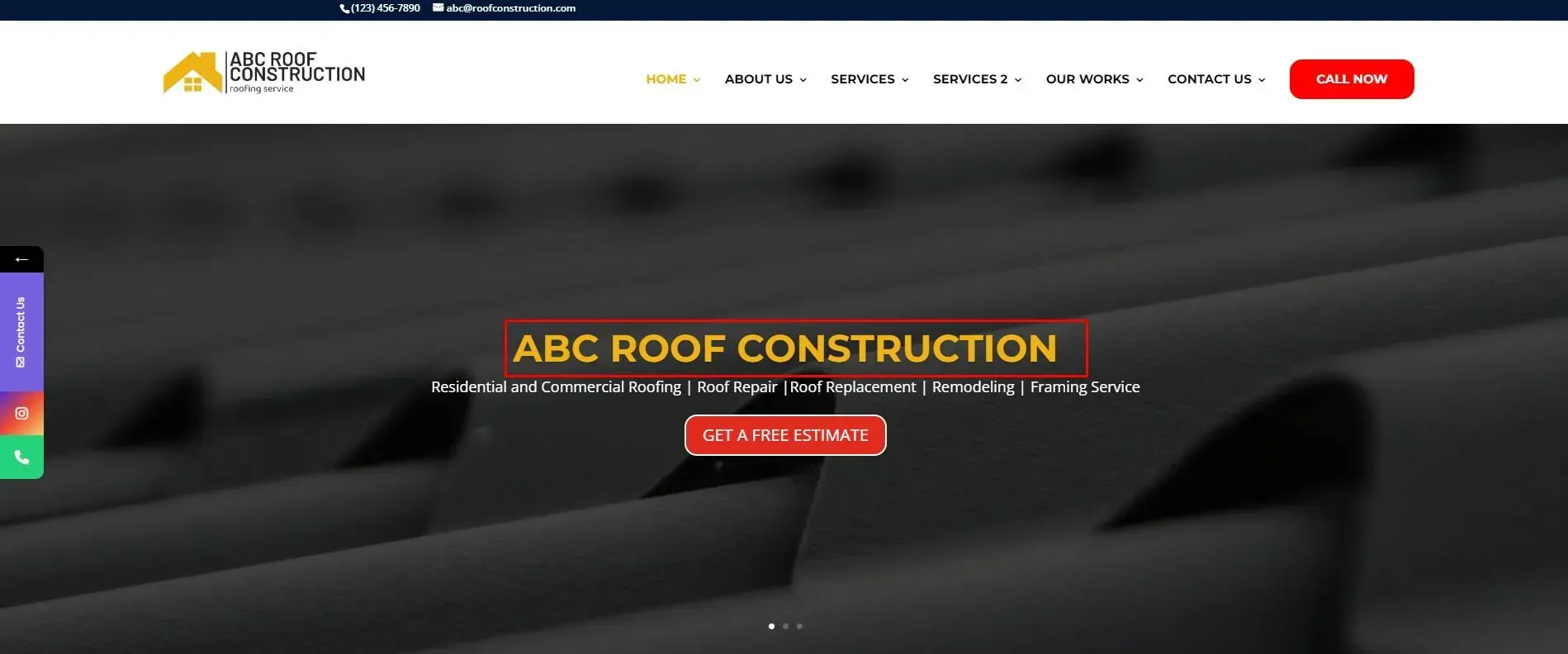
H2 tags are like chapter titles within your H1 chapter, and have relevance to your page's keyword focus.
H3 Tags
H3 tags are like sub-subheadings within your H2 chapters. They help SEO by giving search engines a comprehensive outline of your site (better ranking) and improving readability for users (keeps them engaged).
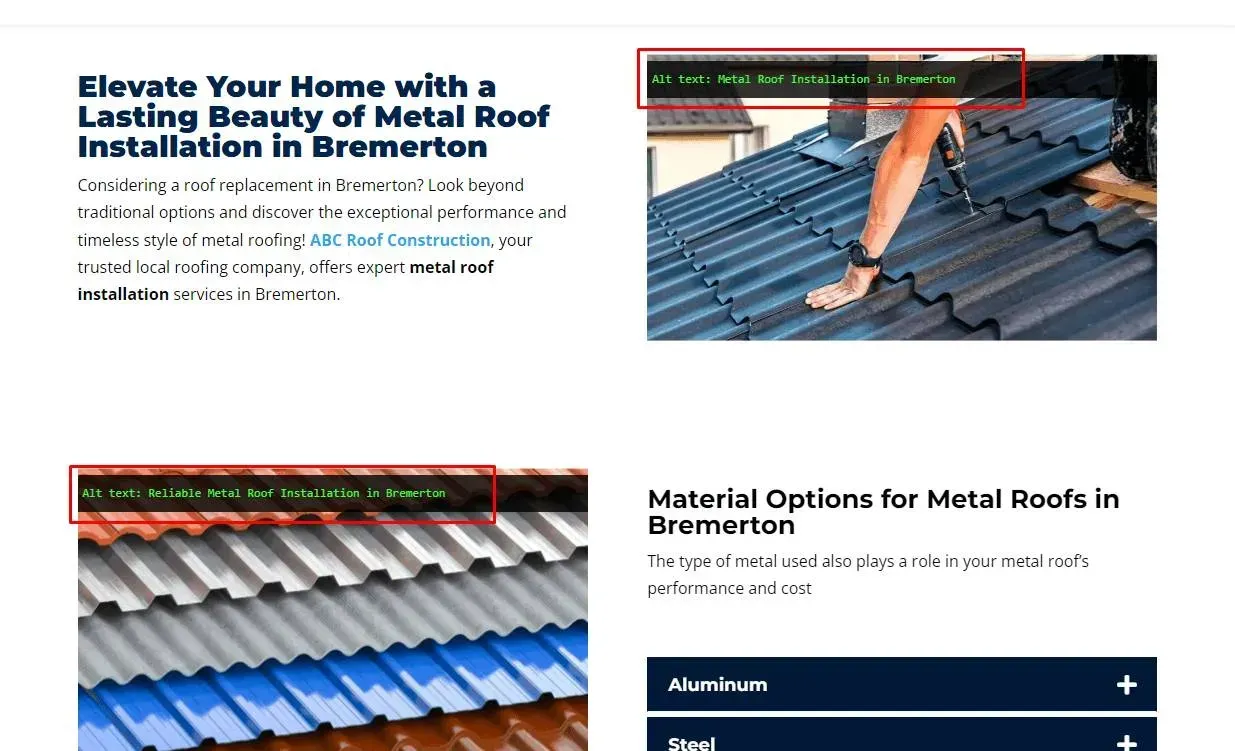
Alt Text
Alt text helps search engines understand the content of your images (usually with a keyword focus for better SEO) and provides context for viewers who can’t see them (improved accessibility), making your website more user-friendly overall.
Bolding of Services
Bolding services can give search engines a hint about what’s important (SEO boost) and helps users scan your offerings quickly. But use it strategically – highlight key services, not everything.

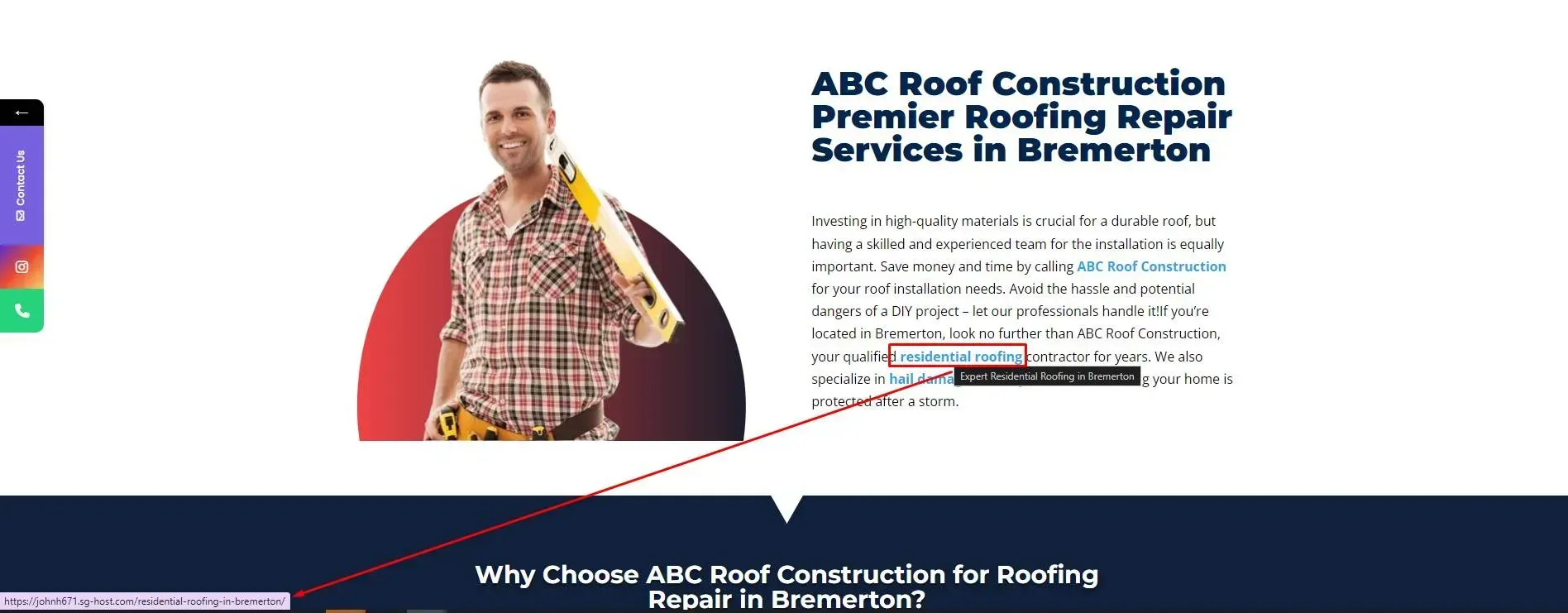
Interlinking
Interlinking is like creating a web within your website. It helps search engines understand how your pages connect (better ranking) and spreads ranking power between your pages (boosts important ones).
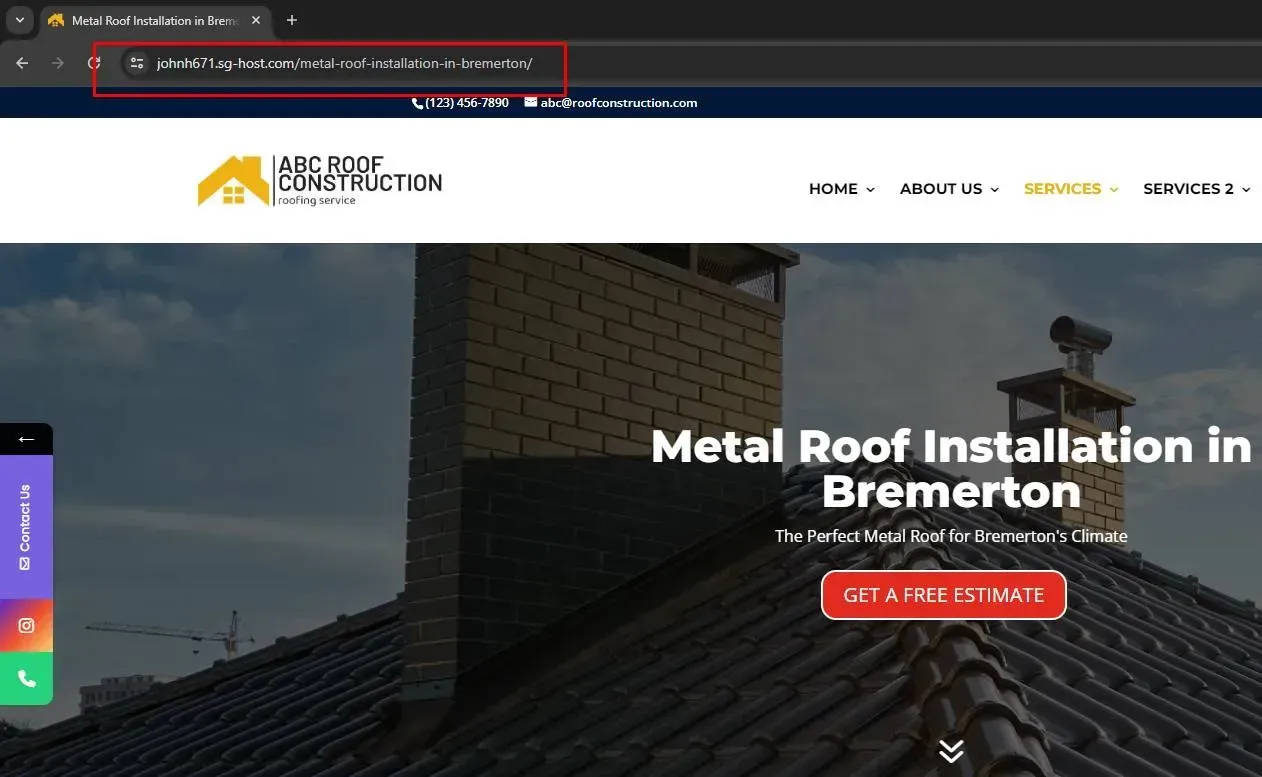
URL Name
A website’s URL is like its home address – it lets users find the specific page they want, and helps search engines discover your website for better ranking. Page-specific target keywords are typically embedded in URL slugs.
Title Tag and Description
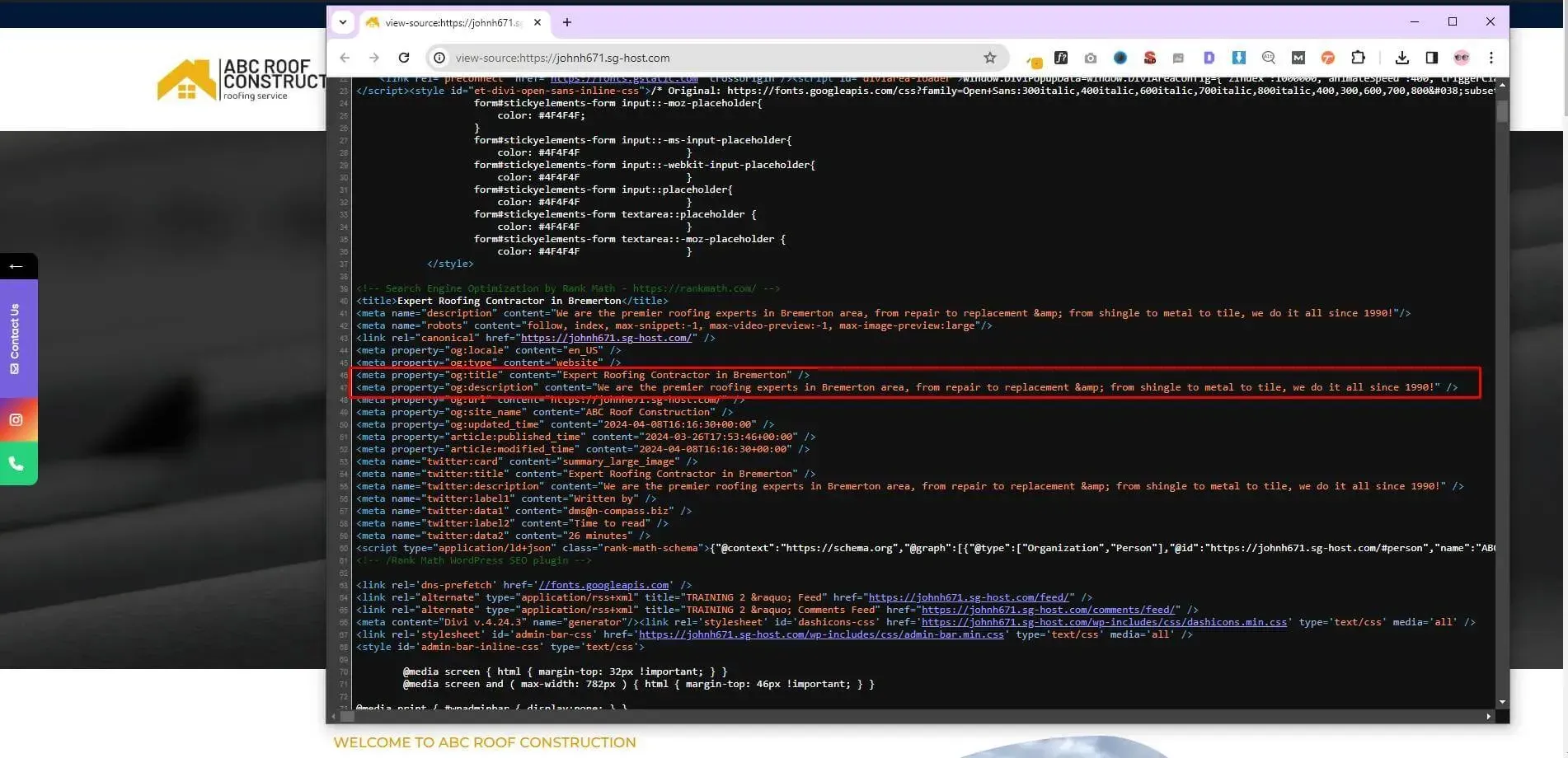
Title tags and descriptions are critical for SEO (keyword focus) because they’re the first impression your website gets in search results. They tell search engines what your page is about (helping you rank well) and convince users to click through (boosting website traffic).
Example:
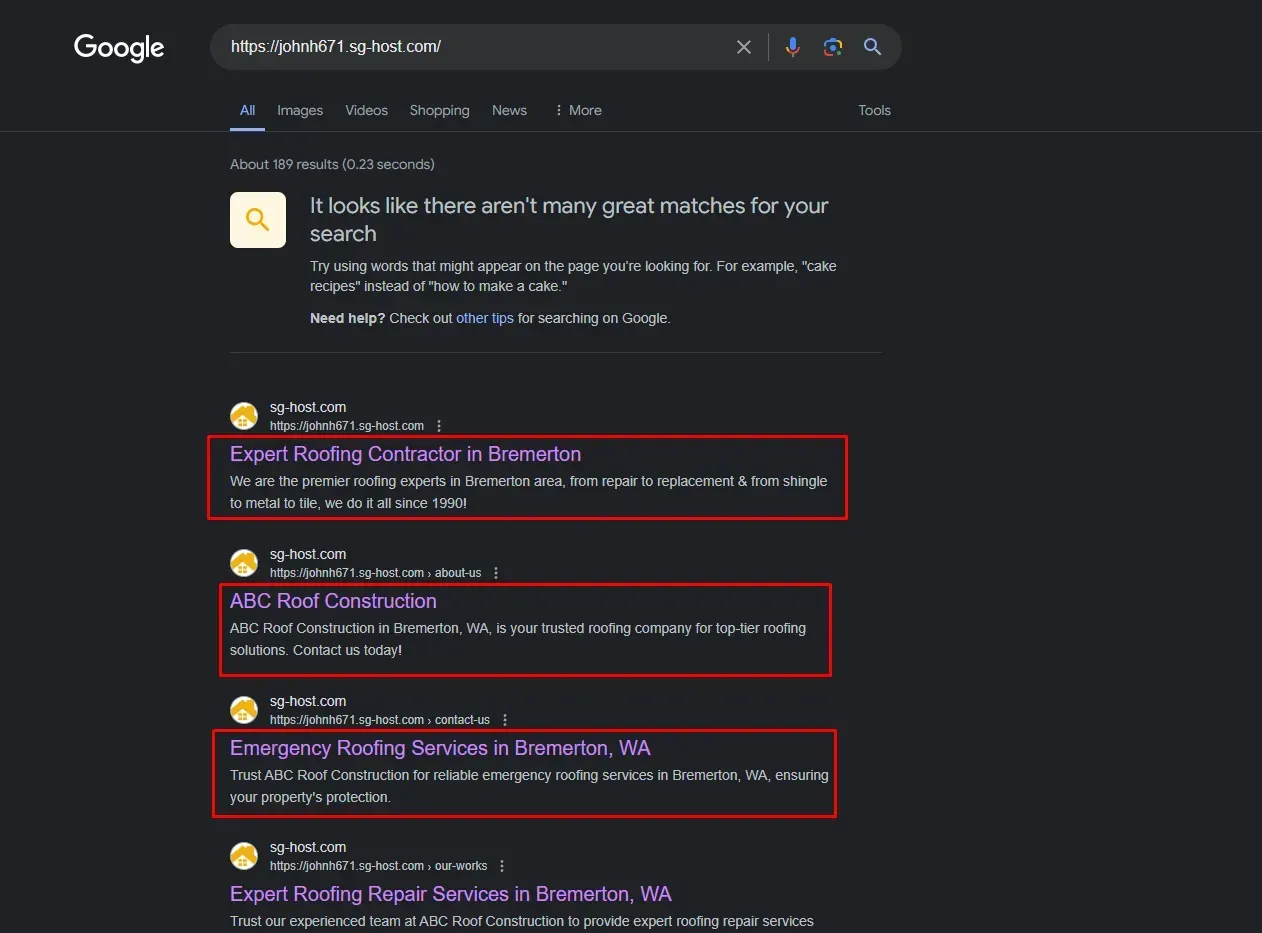
Title Tag: Expert Roofing Contractor in Bremerton
Meta Description: We are the premier roofing experts in Bremerton area. From repair to replacement and from shingle to tile, we do it all since 1990!
This is what a user may see when they search, and it may influence which result they click on.
Google Search Console
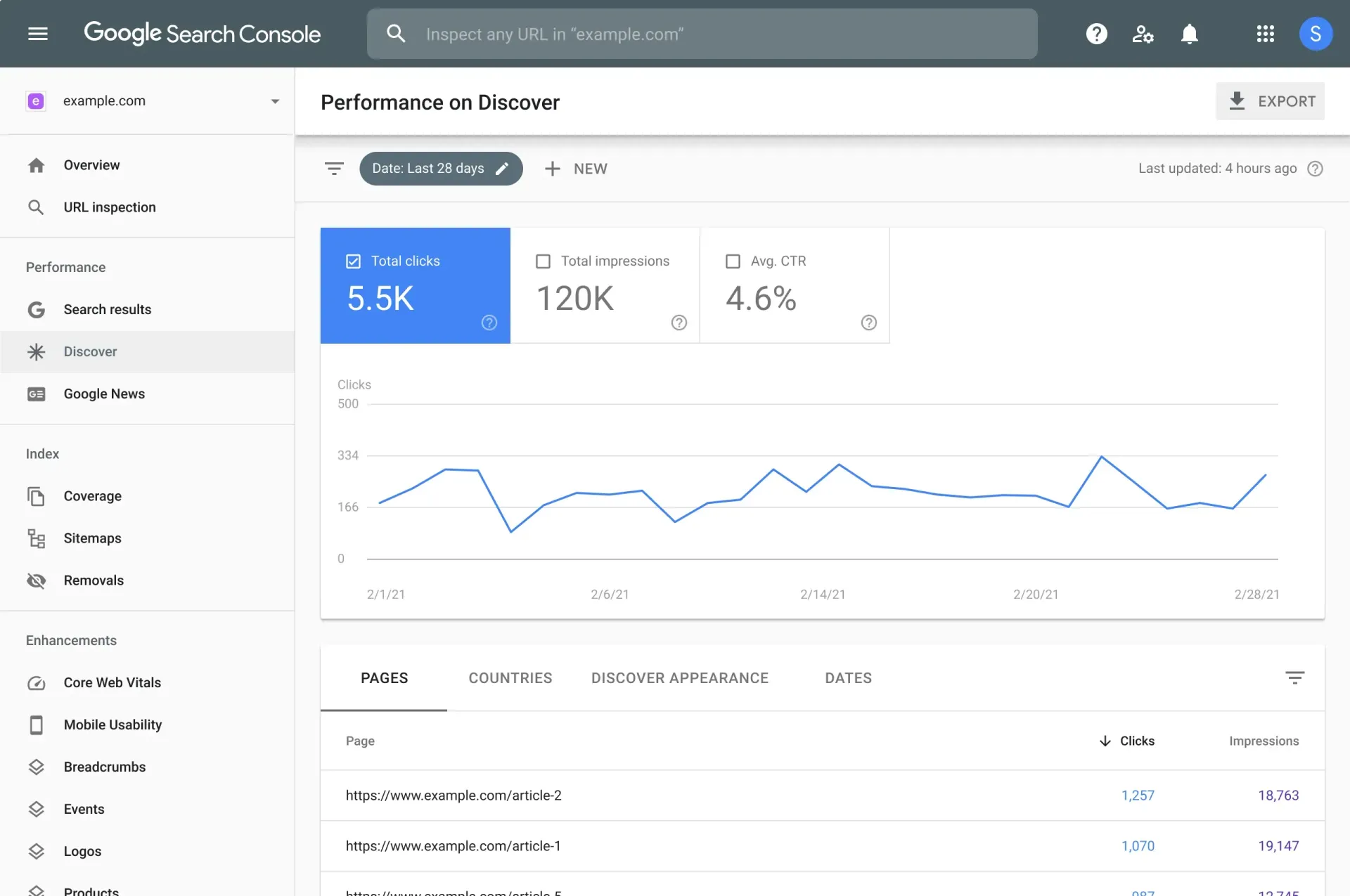
Google Search Console acts like a mechanic for your website in search results. It checks how Google sees your site, identifies problems, and suggests improvements to make your website rank higher.
Site Map
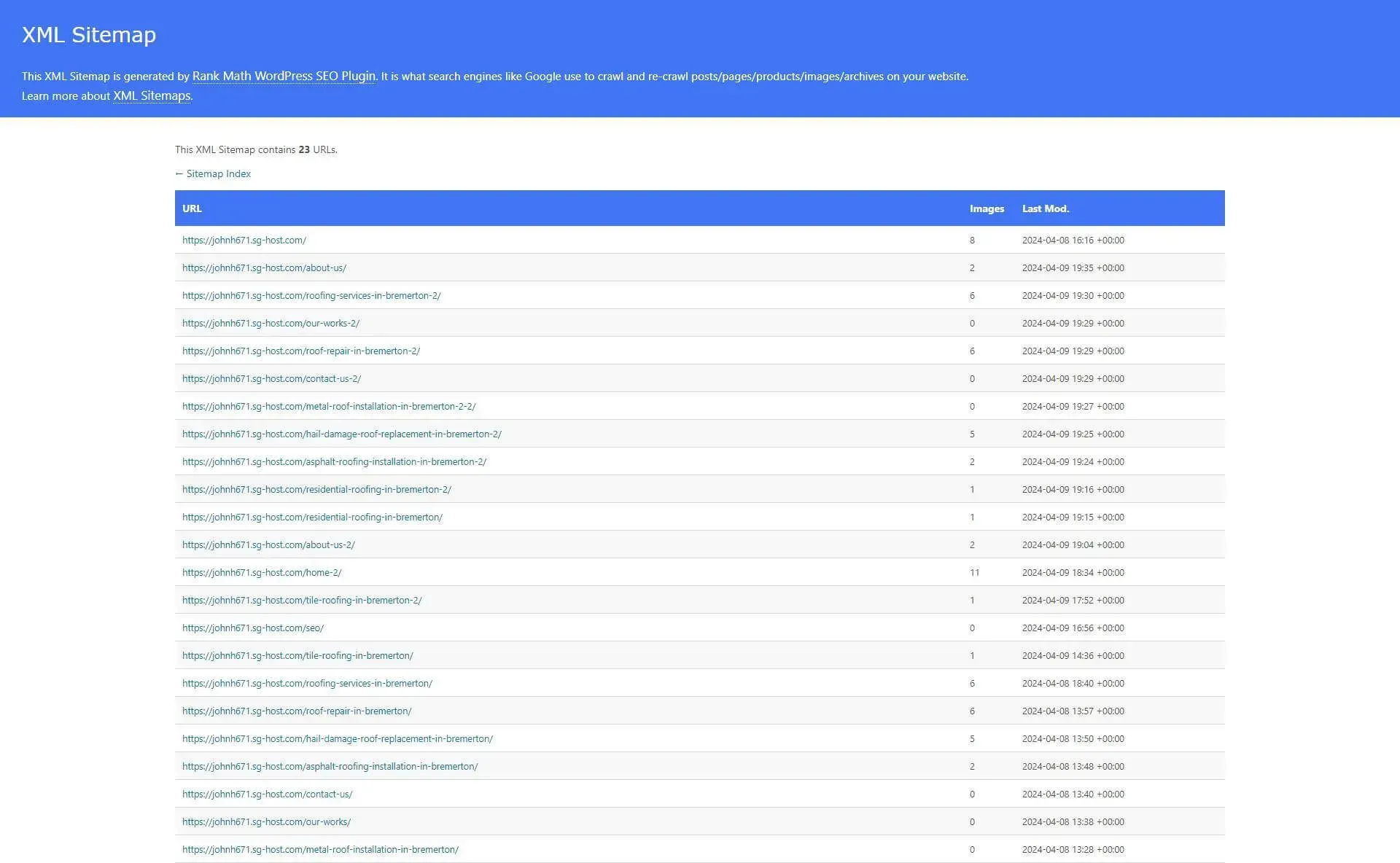
A sitemap is like a treasure map for search engines, guiding them to all your website’s pages. This is needed so search engines know where your pages are, what they are about, and how to index them. When users search certain topics, the sitemap helps gives your page the best chance to be served up as a search result to click on.
Google Analytics
Google Analytics is like a spyglass for your SEO. It shows you how users discover your site (keyword insights) and how they interact with it (user behavior). This helps you refine your SEO strategy to attract and engage the right visitors.